TikTok LIVE is one of the best ways to connect with your audience in real time. Instead of posting a short video and waiting for comments, you can speak directly with viewers, answer questions, show products, host discussions, or simply spend time with your followers.
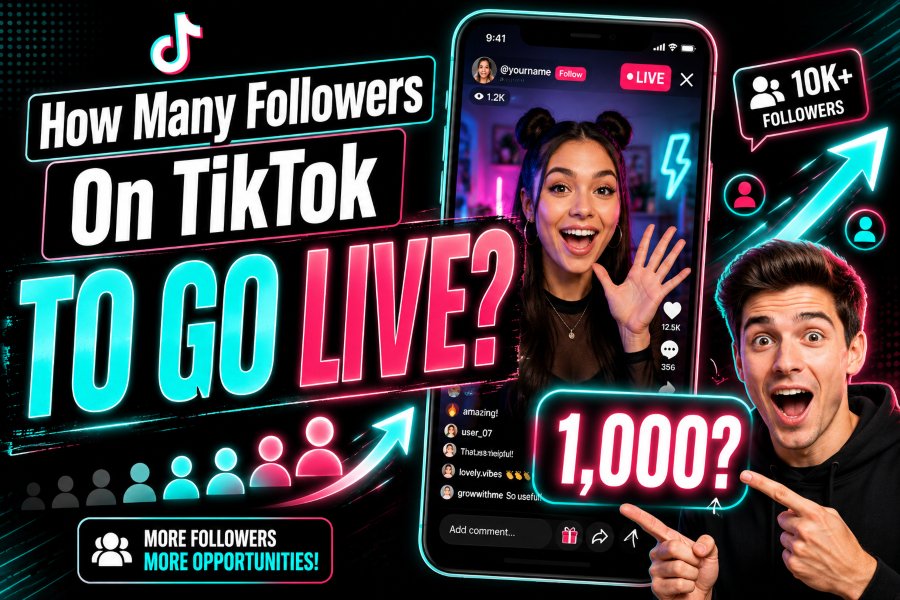
But many new creators ask the same question: how many followers on TikTok to go live?
The common answer is that many TikTok users need around 1,000 followers to unlock the LIVE feature. However, TikTok also says users must meet a local minimum follower threshold, which means the exact rule can vary depending on country, account type, and platform updates. Along with followers, you also need to meet TikTok’s age rules and follow community guidelines.
In this guide, you will learn how many followers you need to go live on TikTok, why the LIVE button may not appear, how to check if your account is eligible, and how to grow your account safely so you can unlock TikTok LIVE faster.
How Many Followers Do You Need to Go Live on TikTok
Most creators need about 1,000 followers to go live on TikTok. This is the number commonly seen across many TikTok accounts and creator guides.
However, TikTok does not always show one fixed global number for every user. The platform says creators must meet a local follower threshold. This means the requirement may change depending on your region or account situation.
So the simple answer is:
You usually need 1,000 followers to go live on TikTok, but the exact requirement may vary by location.
This is why some users see the LIVE option before reaching 1,000 followers, while others may not see it even after reaching that number. TikTok may also check your age, account history, community guideline status, and app version before allowing access.
TikTok LIVE Requirements
Follower count is important, but it is not the only requirement. TikTok LIVE has several rules that creators must follow before they can start streaming.
You Need Enough Followers
The most common TikTok LIVE requirement is having around 1,000 followers. This follower limit helps TikTok make sure creators have some audience before using live streaming features.
If your account has only a few followers, the LIVE button may not appear in your app. Once you grow your account and reach the required threshold, the feature may become available.
You Must Be Old Enough
TikTok also has an age requirement for LIVE. In many regions, you must be at least 18 years old to go live. TikTok may also require age verification if it cannot confirm your age.
This is important because live streaming can include real-time comments, gifts, and public interaction. TikTok uses age rules to protect younger users and keep LIVE content safer.
Your Account Must Follow TikTok Rules
Even if you have enough followers, TikTok may block LIVE access if your account has serious guideline violations. Accounts that post harmful, misleading, unsafe, or restricted content may lose access to features.
To keep your account eligible, avoid spam, fake engagement, copyrighted content misuse, hate speech, harassment, adult content, and anything that breaks TikTok’s Community Guidelines.
Your App Should Be Updated
Sometimes users cannot see the LIVE option because their TikTok app is outdated. If your account meets the requirements but LIVE is missing, update your app from the App Store or Google Play Store.
After updating, close the app, open it again, and check if the LIVE tab appears.
Why TikTok Requires Followers Before Going Live
TikTok does not allow every new account to go live immediately. The follower requirement helps protect the platform, creators, and viewers.
It Reduces Spam
If brand-new accounts could go live instantly, TikTok would have more spam streams, fake promotions, scams, and low-quality broadcasts. A follower requirement makes it harder for spam accounts to misuse LIVE.
It Helps Creators Build an Audience First
Live streaming works best when someone is watching. If a creator has no audience, going live may not be useful. By requiring followers, TikTok encourages creators to build a basic audience before starting live sessions.
It Improves User Safety
LIVE content happens in real time, so moderation can be more difficult than normal videos. TikTok uses eligibility rules to reduce risk and keep live content safer for viewers.
It Protects the TikTok Community
TikTok wants LIVE to be useful, fun, and safe. Requiring followers, age eligibility, and good account behavior helps create a better experience for everyone.
How to Check If You Can Go Live on TikTok
You can quickly check if your TikTok account has access to LIVE.
Step 1 Open the TikTok App
Open TikTok on your mobile device. Make sure you are logged into the account you want to use for LIVE.
Step 2 Tap the Plus Button
Tap the plus button at the bottom of the screen. This is the same button you use to create a new TikTok video.
Step 3 Look for the LIVE Option
At the bottom of the camera screen, you may see options like Camera, Story, Templates, and LIVE. Swipe through the options and check if LIVE appears.
Step 4 Add a LIVE Title
If the LIVE option is available, you can add a title for your stream. Make the title clear and simple so viewers understand what your live session is about.
Step 5 Tap Go LIVE
When everything is ready, tap the button to start your livestream.
If you do not see the LIVE option, your account may not meet the current requirements yet.
Why You Cannot Go Live on TikTok
Many users reach 1,000 followers but still cannot go live. This can happen for several reasons.
Your Region Has Different Rules
TikTok’s follower threshold can vary by location. In some regions, TikTok may require different eligibility conditions before showing the LIVE option.
Your Age Is Not Verified
If TikTok cannot confirm that you meet the age requirement, it may hide or block LIVE access. You may need to complete age verification through TikTok’s official process.
Your Account Has Violations
If your account recently broke TikTok rules, LIVE access may be restricted. Check your account status inside the TikTok app to see if there are warnings, strikes, or restrictions.
Your App Is Outdated
An old app version can cause missing features. Update TikTok and restart your phone if needed.
Your Follower Count Updated Slowly
Sometimes TikTok features do not unlock instantly after reaching the follower requirement. Wait some time, keep posting, and check again later.
You Are Using a New or Inactive Account
TikTok may also look at account activity. If your account suddenly gained followers but has little real engagement, TikTok may delay feature access.
Can You Go Live on TikTok Without 1,000 Followers
Some users claim they can go live without 1,000 followers. This may happen in certain regions, with special account types, through TikTok testing, or through invited access.
However, most creators should not depend on this. For most users, reaching around 1,000 followers is still the safest target.
Avoid tricks, hacks, or fake methods that promise to unlock LIVE early. These methods can put your account at risk. The best way to unlock TikTok LIVE is to grow your account naturally and follow TikTok’s rules.
How to Get 1,000 Followers on TikTok Faster
If you want to go live, your first goal should be building a real audience. You do not need to become famous. You just need consistent content, clear topics, and strong engagement.
Choose a Clear Niche
A niche helps people understand why they should follow you. Your niche can be beauty, fitness, gaming, cooking, education, business, tech, lifestyle, pets, or entertainment.
When your content has a clear topic, TikTok can better understand your audience and show your videos to the right people.
Post Short Helpful Videos
Short videos often perform well because people can watch them quickly. Try to make videos that solve a problem, answer a question, teach something, or entertain viewers.
For example, instead of posting random clips, create videos like:
“How to edit TikTok videos faster”
“3 mistakes new creators make”
“Best beginner tips for TikTok growth”
“How I plan my content in 10 minutes”
Helpful content gives people a reason to follow you.
Use Strong Hooks
The first few seconds matter a lot. Start your videos with a clear hook that makes people want to keep watching.
Examples:
“Stop doing this if you want more TikTok views”
“Here is why your TikTok account is not growing”
“Most beginners miss this simple trick”
“This is how I got more engagement”
A strong hook can increase watch time, and better watch time can help your video reach more people.
Post Consistently
You do not need to post all day. But you should post regularly. For many creators, posting one to three times per day can help test different ideas and grow faster.
Consistency helps TikTok learn what your content is about. It also gives your audience more chances to follow you.
Reply to Comments
Comments are powerful for growth. When people comment on your videos, reply to them. You can also turn good comments into new video ideas.
This makes your audience feel noticed and increases engagement on your account.
Follow Trends Carefully
Trends can help your content reach more people, but do not copy every trend blindly. Choose trends that fit your niche.
If your account is about fitness, use a trending sound with a fitness tip. If your account is about business, use a trend to explain a simple business lesson.
Improve Your Profile
Your TikTok profile should clearly explain who you are and why people should follow you.
Use a clean profile picture, simple username, and short bio. Your bio should tell people what they get from your content.
Example:
“Simple TikTok growth tips for new creators”
“Daily recipes for busy people”
“Tech tips made easy”
A clear profile can turn profile visitors into followers.
What to Do Before Your First TikTok LIVE
Once you unlock LIVE, do not start without a plan. A simple plan can make your first stream much better.
Pick One Clear Topic
Do not go live with no idea what to say. Choose one topic for your stream.
Examples:
“Answering beginner TikTok questions”
“Behind the scenes of my content setup”
“Live product demo”
“Gaming with viewers”
“Q&A about fitness tips”
A clear topic helps viewers know why they should stay.
Prepare Talking Points
Write down 5 to 10 points before going live. This helps you avoid awkward silence.
You do not need a full script. Just prepare simple notes so you can keep the conversation moving.
Check Your Lighting and Sound
Good lighting makes your stream look better. Natural light or a simple ring light can help. Also make sure your voice is clear.
Viewers may leave quickly if they cannot see or hear you properly.
Go Live When Your Audience Is Active
Check your TikTok analytics if available. Try to go live when your followers are most active.
If you do not have enough data, test different times and see when more people join.
Keep the First LIVE Simple
Your first LIVE does not need to be perfect. Start with 20 to 30 minutes. Say hello to viewers, answer questions, and learn how the feature works.
The more you practice, the more confident you will become.
TikTok LIVE Tips for Better Engagement
Getting access to LIVE is only the beginning. You also need to keep viewers interested.
Welcome New Viewers
When someone joins, greet them. This makes the stream feel personal and friendly.
Ask Simple Questions
Ask viewers questions they can answer quickly.
Examples:
“Where are you watching from?”
“What topic should I cover next?”
“Have you tried this before?”
“What do you need help with?”
Questions make viewers more likely to comment.
Repeat the Topic
New people may join in the middle of your LIVE. Repeat your topic every few minutes so they understand what is happening.
Stay Positive
A friendly mood keeps viewers watching. Avoid arguing with rude comments. Use moderation tools if needed.
End With a Clear Call to Action
Before ending, ask viewers to follow your account, watch your latest video, or join your next LIVE.
Example:
“Thanks for joining. Follow me for more TikTok growth tips, and I’ll go live again this week.”
Common Mistakes to Avoid
Many creators unlock LIVE but do not use it well. Avoid these common mistakes.
Going Live Without a Topic
If viewers do not understand the purpose of your stream, they may leave quickly.
Ignoring Comments
LIVE is about real-time interaction. If you ignore comments, viewers may feel bored.
Using Clickbait Titles
Do not use misleading titles just to get viewers. It can hurt trust and may break TikTok rules.
Streaming in Poor Quality
Bad lighting, low sound, or shaky video can make your LIVE look unprofessional.
Breaking TikTok Rules
Avoid unsafe claims, harassment, spam, copyrighted content misuse, or restricted topics. Breaking rules can remove your LIVE access.
Is TikTok LIVE Worth It
Yes, TikTok LIVE can be very useful if you already have an active audience or want to build stronger trust with followers.
LIVE helps you:
Connect with followers in real time
Answer questions directly
Build trust faster
Promote products or services
Grow community engagement
Get content ideas from viewers
Improve your confidence on camera
For creators, brands, small businesses, coaches, educators, and influencers, TikTok LIVE can become a powerful growth tool.
Final Thoughts
So, how many followers on TikTok to go live?
Most creators need around 1,000 followers to unlock TikTok LIVE, but TikTok says the exact follower requirement can depend on your local threshold. You also need to meet the age requirement, keep your account in good standing, and follow TikTok’s rules.
If you do not have LIVE access yet, focus on growing your account with helpful videos, strong hooks, consistent posting, and real engagement. Avoid fake followers or risky shortcuts. A real audience will help you not only unlock LIVE but also make your live streams more successful.
Once you unlock TikTok LIVE, plan your topic, check your setup, interact with viewers, and keep improving with every stream.
FAQs
How many followers do you need to go live on TikTok
Most TikTok users need around 1,000 followers to go live. However, the exact follower requirement may vary by region because TikTok uses local eligibility thresholds.
Can I go live on TikTok with 500 followers
Most users cannot go live with only 500 followers. Some accounts may get access earlier due to regional rules or TikTok testing, but 1,000 followers is the common target.
Why do I have 1,000 followers but no LIVE button
You may not see the LIVE button because of age verification, regional rules, account violations, app issues, or delayed feature activation. Update your app and check your account status.
How old do you have to be to go live on TikTok
In many regions, you must be at least 18 years old to go live on TikTok. TikTok may ask for age verification if it cannot confirm your age.
Can TikTok remove my LIVE access
Yes. TikTok can remove or restrict LIVE access if your account breaks community guidelines or does not meet eligibility rules.
How do I unlock TikTok LIVE faster
Post consistently, choose a clear niche, use strong hooks, reply to comments, improve your profile, and focus on gaining real followers.
Do fake followers help unlock TikTok LIVE
Fake followers are risky and not recommended. They can hurt engagement, damage account trust, and may violate platform rules.
Is TikTok LIVE good for business
Yes. Businesses can use TikTok LIVE for product demos, Q&A sessions, launches, tutorials, customer education, and community building.