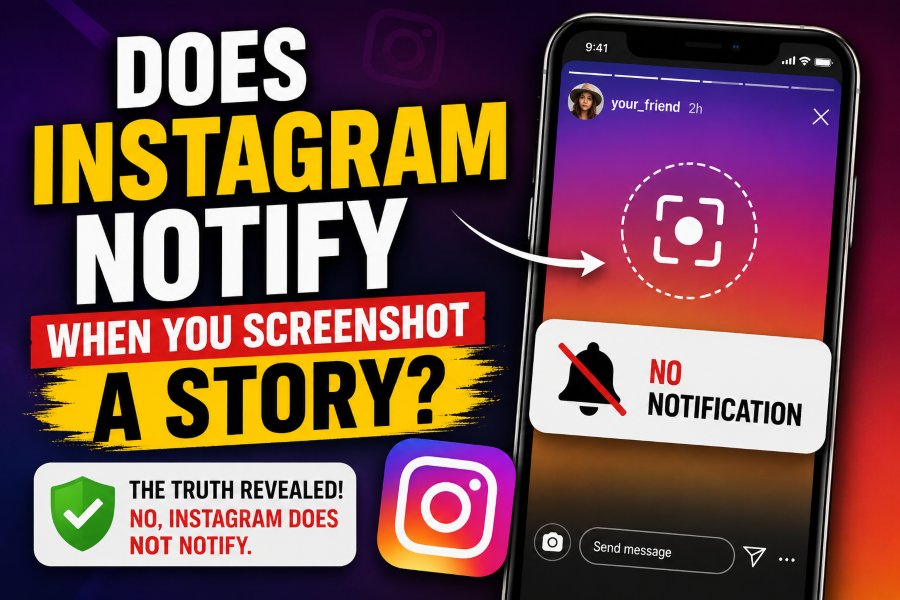
Many Instagram users wonder one simple thing before taking a screenshot: does Instagram notify when you screenshot a story? The short answer is no. Instagram does not send a notification when you screenshot someone’s Story.
This means if you take a screenshot of a regular Instagram Story, the person who posted it will not get an alert, message, or warning. They may still see that you viewed the Story, but they cannot see that you captured it.
However, Instagram screenshot rules can feel confusing because different parts of the app work differently. Stories, posts, reels, profiles, and direct messages do not all follow the same rules. Some disappearing content in Instagram DMs can trigger alerts, while normal Stories do not.
In this guide, you will learn exactly when Instagram does and does not notify screenshots. We will also explain Story screenshots, screen recording, Close Friends Stories, Highlights, DMs, privacy tips, and safe ways to save content without causing confusion.
Does Instagram Notify When You Screenshot a Story?
No, Instagram does not notify when you screenshot a Story.
If someone posts a Story and you take a screenshot, Instagram does not send them any notification. The person will not receive a pop-up, DM alert, email, or activity message. They also will not see a screenshot icon beside your name in the Story viewer list.
The only thing the Story owner can normally see is that you viewed their Story. If you open the Story, your name may appear in their viewer list. But Instagram does not tell them what you did after viewing it.
This applies to most regular Instagram Stories, including:
Public Stories
Private account Stories
Close Friends Stories
Business account Stories
Creator account Stories
Stories with stickers
Stories with polls
Stories with music
Stories with links
Stories with questions
So, if your main question is “can someone see if I screenshot their Instagram Story?” the answer is no.
Why Do People Think Instagram Sends Story Screenshot Notifications?
Many people believe Instagram sends Story screenshot alerts because Instagram tested this feature in the past. Years ago, Instagram briefly tested a system that notified users when someone screenshotted their Story. That test created long-term confusion.
Even though the feature did not become a permanent rule, many users still talk about it online. Some people also confuse Instagram with Snapchat, where screenshot notifications are a major part of the platform.
Another reason is that Instagram does send screenshot alerts in some direct message situations. Because of that, users assume the same thing happens everywhere on Instagram. But that is not true.
Instagram treats regular Stories differently from disappearing photos and videos sent in DMs.
Can Someone See If You Screenshot Their Instagram Story?
No, someone cannot see if you screenshot their Instagram Story.
They can only see that you viewed the Story if your account appears in the viewer list. They cannot see whether you saved it, screenshotted it, or recorded it.
For example, if you watch a friend’s Story and take a screenshot of a photo, they will not know. If you screenshot a brand’s Story, the brand will not receive a notification. If you screenshot a creator’s Story, they will not get an alert.
This rule makes Instagram Stories different from private disappearing messages. Stories are designed for wider sharing, so Instagram does not currently treat screenshots as a private alert action.
Does Instagram Notify When You Screen Record a Story?
No, Instagram does not notify when you screen record a Story.
Screen recording works almost the same as taking a screenshot. If you record someone’s regular Instagram Story using your phone’s screen recorder, Instagram does not notify the person.
This applies to videos, photo Stories, music Stories, and Stories with stickers. The Story owner will not see a screen recording alert.
However, this does not mean screen recording is always respectful. If the Story includes private information, personal photos, or sensitive content, it is better to ask permission before saving or sharing it.
Does Instagram Notify When You Screenshot a Close Friends Story?
No, Instagram does not notify when you screenshot a Close Friends Story.
Close Friends Stories feel more private because they are shared with a smaller audience. But Instagram still does not send screenshot notifications for them.
If someone adds you to their Close Friends list and you screenshot their green-circle Story, they will not receive an alert. They can see that you viewed the Story, but they cannot see that you captured it.
Still, Close Friends content is usually shared with more trust. If someone posts something personal to Close Friends, you should avoid sharing it outside that circle without permission.
Does Instagram Notify When You Screenshot Highlights?
No, Instagram does not notify when you screenshot a Highlight.
Instagram Highlights are saved Stories that appear on a user’s profile. You can view them after the original 24-hour Story period has ended. If you screenshot a Highlight, Instagram does not notify the person.
The same rule applies to screen recording Highlights. The user will not get an alert.
However, depending on timing, the person may see that you viewed the Story if the Highlight is still connected to recent Story viewer data. But screenshot activity itself is not shown.
Does Instagram Notify When You Screenshot a Post?
No, Instagram does not notify when you screenshot a regular post.
You can screenshot a photo post, carousel, caption, comment section, or profile grid without sending an alert to the account owner. Instagram also does not notify when you screenshot a Reel, profile page, bio, follower list, or tagged post.
Still, Instagram has a built-in Save feature that may be better than taking screenshots. Saving posts allows you to keep content inside Instagram without filling your phone gallery. It also helps you organize content into collections.
When Does Instagram Notify Screenshots?
Instagram can notify screenshots in some direct message situations.
The main exception is disappearing photos and videos sent through Instagram Direct Messages. If someone sends you a disappearing photo or video that can only be viewed once or replayed, Instagram may notify them if you take a screenshot or screen recording.
This is different from a normal Story. Disappearing DM content is designed to be private and temporary. Because of that, Instagram gives the sender more protection.
Instagram may notify screenshots for:
Disappearing photos in DMs
Disappearing videos in DMs
View-once media
Replay-limited media
Some Vanish Mode content
Instagram usually does not notify screenshots for:
Regular Stories
Story Highlights
Feed posts
Reels
Profiles
Comments
Normal DM text chats
Normal photos sent from gallery in chat
The safest rule is simple: regular public content usually does not trigger screenshot alerts, but disappearing private DM content may trigger alerts.
Does Instagram Notify When You Screenshot a DM?
It depends on the type of DM.
If you screenshot a normal Instagram DM conversation, Instagram usually does not notify the other person. For example, if you screenshot regular text messages, shared posts, links, or normal images sent in chat, the other person typically will not get an alert.
But if you screenshot a disappearing photo or video sent through the Instagram camera inside DMs, the sender may be notified.
Here is an easy breakdown:
Normal DM text screenshot: No notification
Shared Reel screenshot: No notification
Shared post screenshot: No notification
Normal image from gallery: Usually no notification
Disappearing photo screenshot: May notify
View-once video screenshot: May notify
Vanish Mode screenshot: May notify
Because Instagram features can change, it is always smart to be careful with private messages.
Can Third-Party Apps Show Who Screenshotted Your Story?
No, third-party apps cannot reliably show who screenshotted your Instagram Story.
If an app claims it can reveal Story screenshot users, you should be careful. Instagram does not publicly provide this data to outside apps. Many of these tools are misleading, outdated, or unsafe.
Some apps may ask for your Instagram login details. This can put your account at risk. They may collect your password, access your account, or break Instagram’s rules.
Avoid apps that promise:
Who screenshotted your Story
Anonymous screenshot tracking
Hidden Instagram viewer lists
Secret profile visitor data
Private Story screenshot alerts
If Instagram itself does not show the data, a random third-party app usually cannot show it safely.
How to Save an Instagram Story Without Screenshot Confusion
If you want to save something from a Story, think about why you need it. If it is a recipe, quote, product, event, or public announcement, a screenshot is usually harmless. But if it is personal content, private photos, or sensitive information, it is better to ask first.
Here are safer options:
Use Instagram’s Save feature for posts
Ask the person to send you the image
Reply to the Story and request details
Save the link if the Story includes one
Use Collections for posts and Reels
Take notes instead of capturing private content
Screenshots may not send notifications, but respect still matters.
How to Protect Your Own Instagram Stories
If you are worried about people screenshotting your Stories, Instagram does not offer a full screenshot-blocking feature for regular Stories. Once someone can view your Story, they may be able to capture it.
But you can reduce the risk by controlling who sees your content.
Make Your Account Private
A private account gives you more control over your audience. Only approved followers can see your Stories, posts, and some profile content.
Use Close Friends Carefully
Close Friends can help you share content with a smaller group. But remember, Close Friends does not block screenshots. Only add people you trust.
Hide Stories From Specific People
Instagram lets you hide your Story from selected users. This is useful if you do not want certain people to view or save your content.
Avoid Sharing Sensitive Details
Do not post private documents, addresses, phone numbers, personal schedules, tickets, passwords, or financial details in Stories.
Add Watermarks
If you are a creator, photographer, designer, or business owner, add a small watermark to your visual content. This can help protect your work if someone saves or reposts it.
Share Lower-Risk Versions
Instead of posting the full image, share a preview, cropped version, or lower-resolution version. This is useful for creative work and paid content.
Why Instagram Does Not Notify Story Screenshots
Instagram has not given one simple public reason for every screenshot rule, but the platform likely avoids Story screenshot notifications because Stories are widely used for casual sharing.
If every screenshot triggered an alert, users might feel uncomfortable saving useful information. It could also make the app feel more restrictive.
Stories are temporary, but they are not fully private. Anyone who can view your Story may be able to remember it, screenshot it, screen record it, or use another device to capture it.
That is why you should treat Stories as semi-public content. Even if they disappear after 24 hours, they can still be saved by viewers.
Common Myths About Instagram Story Screenshots
There are many myths about Instagram screenshots. Let’s clear up the most common ones.
Myth 1 Instagram Shows a Screenshot Icon Beside Your Name
This is false for regular Stories. Instagram does not show a screenshot icon beside your name in the Story viewer list.
Myth 2 Close Friends Stories Send Screenshot Alerts
This is also false. Close Friends Stories do not send screenshot notifications.
Myth 3 Business Accounts Can See Story Screenshots
Business accounts can see analytics, reach, replies, and engagement data, but they cannot see who screenshotted a Story.
Myth 4 Instagram Notifies Screen Recordings But Not Screenshots
For regular Stories, Instagram does not notify screenshots or screen recordings.
Myth 5 Third-Party Apps Can Track Story Screenshots
This is not reliable. Most apps claiming this are unsafe or misleading.
Best Practices Before Taking a Screenshot
Even though Instagram does not notify Story screenshots, you should still use common sense. Not every screenshot should be saved, shared, or posted somewhere else.
Before taking a screenshot, ask yourself:
Is this public or private content?
Could this embarrass someone?
Did the person share this with a limited audience?
Am I saving it for personal use only?
Would I be comfortable if someone did this to my Story?
A screenshot may be technically allowed, but sharing it without permission can still damage trust.
Final Answer
So, does Instagram notify when you screenshot a Story? No, Instagram does not notify users when you screenshot or screen record a regular Story.
The person can see that you viewed their Story, but they cannot see that you captured it. This rule also applies to Close Friends Stories, Highlights, posts, Reels, and profiles.
The main exception is Instagram Direct Messages. If you screenshot a disappearing photo, disappearing video, view-once media, or certain Vanish Mode content, Instagram may notify the sender.
The best rule is simple: screenshotting Stories is not notified, but private disappearing DMs are different. Always respect people’s privacy and avoid saving or sharing sensitive content without permission.
FAQs
Does Instagram notify when you screenshot a Story?
No, Instagram does not notify when you screenshot a regular Story. The person can see that you viewed it, but not that you captured it.
Can someone see if I screenshot their Close Friends Story?
No, Instagram does not notify screenshots for Close Friends Stories. However, the person may still see that you viewed the Story.
Does Instagram notify when you screen record a Story?
No, Instagram does not notify when you screen record a regular Story.
Does Instagram notify when you screenshot a Highlight?
No, Instagram does not send screenshot alerts for Highlights.
Does Instagram notify when you screenshot a Reel?
No, Instagram does not notify users when you screenshot or screen record a Reel.
Does Instagram notify when you screenshot a DM?
Normal DM screenshots usually do not send alerts. But disappearing photos, disappearing videos, and some Vanish Mode content may trigger notifications.
Can apps tell me who screenshotted my Instagram Story?
No, third-party apps cannot reliably show who screenshotted your Story. Avoid apps that ask for your Instagram password.
How can I stop people from screenshotting my Stories?
You cannot fully block screenshots on regular Instagram Stories. You can make your account private, hide Stories from certain users, use Close Friends carefully, and avoid posting sensitive content.